0.12.3 Fixed almost all bugs :)
0.12.4 Fixes a few important regression issues, so please use that version.
What’s Changed
This release rolls up everything since the last stable: five pre-releases (0.11.31, 0.11.32, 0.11.33, 0.12.1,
0.12.2) plus the latest in-development changes.
The headline themes are:
- New monitoring scenarios — first-class Checkmk and Icinga 2 integration, plus a real
check_netfamily. - A modern Web UI and REST API — events, metadata, settings DELETE, filterable lists, dedicated widgets for PDH counters and real-time filters.
- Hardened by default —
0.12.2is a security release that closes listener defaults that used to be silently permissive (emptyallowed hosts, plaintextcheck_nt, query-string tokens, etc.). - Many long-standing check fixes —
check_service,check_process,check_files,check_drivesize,check_uptime,CheckLogFile, and the shared filter/threshold engine all behave correctly now.
Read the Breaking changes section before upgrading — several long-standing-but-incorrect behaviours have been corrected and a number of listener defaults are now fail-closed. If you have an existing configuration, plan to review it.
TL;DR for end users
- New scenario: Checkmk agent integration. Point a Checkmk site at port 6556 and you get a native-looking agent dump. See scenarios/check-mk.md.
- New scenario: Icinga 2 passive submission. A new
IcingaClientmodule submits passive results to Icinga 2’s REST API as an alternative to NSCA / NRDP. - New scenario: NSCA-ng. A new hardened
NSCAngClientwith PSK and AEAD-first cipher selection. - Native cross-platform network checks:
check_tcp,check_dns,check_http,check_ntp_offset,check_connections. - Native Windows registry checks:
check_registry_key,check_registry_value. - HTTP proxy support for every HTTP-based client (NRDP, Elastic, Op5, Icinga, the configuration loader, …).
- Windows ROOT trust store auto-export — HTTPS-bound checks validate certificates against the system trust store automatically.
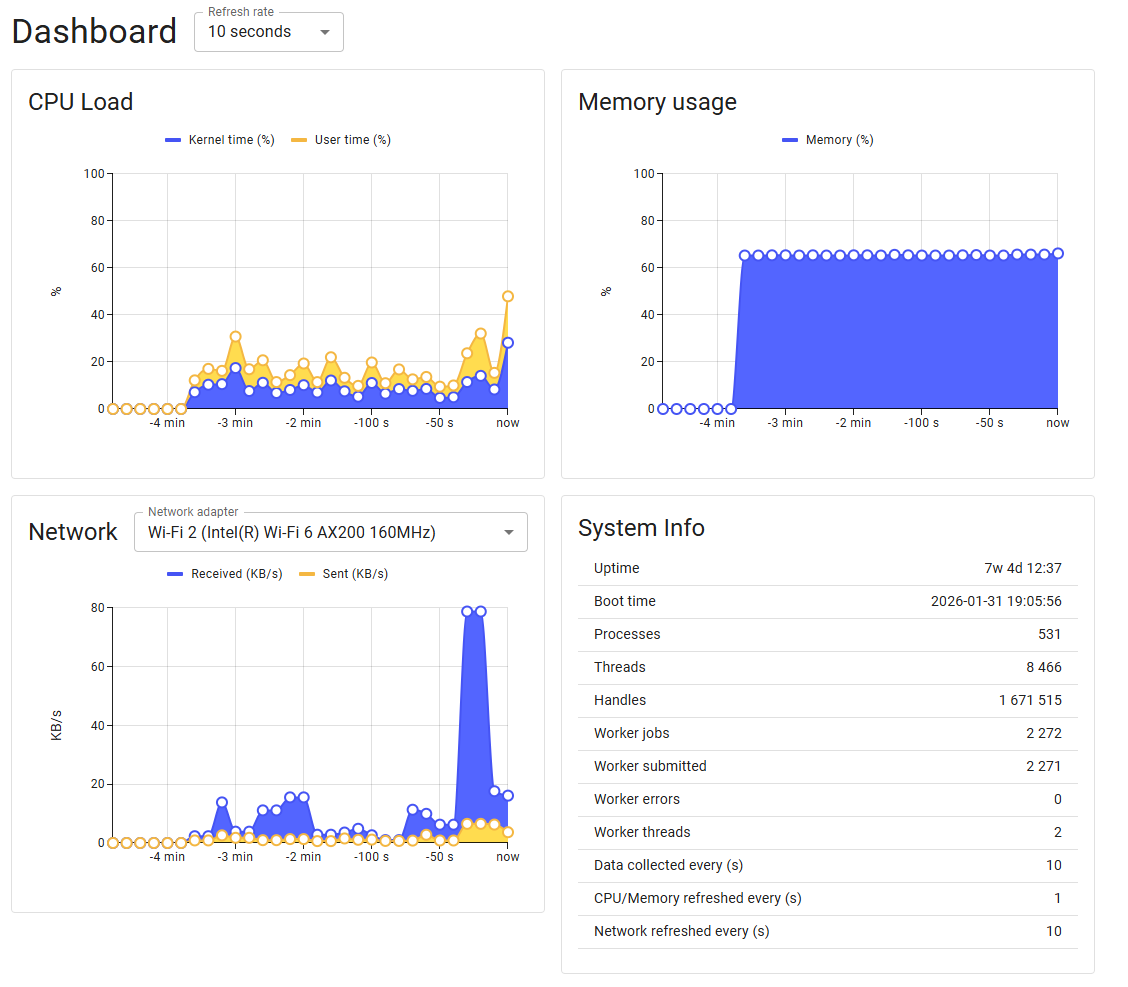
- A modern Web UI with filterable lists, settings diff, dashboard, and dedicated CheckSystem widgets.
- New REST endpoints:
GET/DELETE /api/v2/events,GET /api/v2/metadata,DELETE /api/v2/settings/.... Covered in api/rest/. - Linux real-time metrics — the same background CPU/memory/disk/ network/load sampling that Windows has had for years.
- Many bug fixes in
check_service,check_process,check_files,CheckLogFile, the filter/threshold engine and the HTTP stack.
Major new features
Checkmk agent integration
NSClient++ can now serve a Checkmk-compatible agent dump on TCP port 6556. A real Checkmk site can register the host
with tag_agent = cmk-agent, discover services, and run checks — no proxy, no NSCA gateway.
Enable it:
[/modules]
CheckMKServer = enabled
LUAScript = enabled
CheckSystem = enabled
CheckDisk = enabled
CheckHelpers = enabled

[/settings/check_mk/server]
port = 6556
allowed hosts = 127.0.0.1, <checkmk-site-ip>
submission ttl = 60          ; seconds, default 60
mrpe channel = check_mk-mrpe
local channel = check_mk-local
Out-of-the-box sections (no extra config):
| Section | Contents |
|---|---|
<<<check_mk>>> |
Version, OS, hostname |
<<<systemtime>>> |
Unix epoch (Windows clock-skew check) |
<<<uptime>>> |
Seconds since boot (read from internal metrics store) |
<<<mem>>> |
MemTotal:/MemFree:/SwapTotal:/SwapFree: (from metrics store) |
<<<df>>> |
Per-volume size/used/free/mountpoint (Windows) |
<<<services>>> |
name state/start_type display_name per Windows service |
<<<ps>>> |
(user,vsz_kb,rss_kb,cputime,pid) cmdline per process |
Expose any nscp check as a Checkmk service under <<<local>>>:
[/settings/check_mk/server/local]
CPU Load = command=check_cpu warn=load>80 crit=load>95
Disk C = command=check_drivesize drive=C: "warn=free<20%" "crit=free<10%"
MRPE relay under <<<mrpe>>>:
[/settings/check_mk/server/mrpe]
Uptime = command=check_uptime warn=uptime<2d
Memory = command=check_memory type=committed warn=used>80% crit=used>90%
Documentation: https://nsclient.org/docs/scenarios/check-mk.md`.
IcingaClient — Icinga 2 REST API submission
A new client module submits passive check results directly to an Icinga 2 master/satellite via the
/v1/actions/process-check-result REST endpoint, as an alternative to NSCA or NRDP.
[/modules]
IcingaClient = enabled

[/settings/IcingaClient/targets/default]
address = https://icinga2.example.com:5665
username = nscp
password = secret
hostname = ${hostname}
nscp client --module IcingaClient \
            --command submit_icinga \
            --address https://icinga2.example.com:5665 \
            --username nscp --password secret \
            --command heartbeat \
            --result 0 \
            --message "Hello from NSClient++" \
            --ensure-objects
NSCA-ng client
A new NSCAngClient module ships a hardened NSCA-ng submission client with PSK support, AEAD-first cipher selection,
and connection retry logic.
Native support for Windows CA-store
On startup NSClient++ now exports the machine’s ROOT certificate store as a single PEM bundle, so any check that does
TLS (check_http, IcingaClient, NRDP, …) can validate certificates against the trust store the rest of Windows
already uses.
check_http url=https://www.ibm.com
OK: https://www.ibm.com -> 303 ok (0B in 33ms)

check_http url=https://self-signed.badssl.com/
CRITICAL: https://self-signed.badssl.com/ -> 0 error: Failed to connect ... certificate verify failed
CheckNet — five new (cross-platform) checks
CheckNet graduated from a placeholder into a full network-check module. All five commands work over NRPE as well as
locally:
check_tcp— open a TCP socket to one or more host/port pairs, optionally send a payload and require an expected substring.check_dns— resolve a hostname and optionally assert which addresses come back.check_http— fetch one or more URLs, check status code, response time and body content; supports custom headers and user-agent.check_ntp_offset— query one or more NTP servers and alert on offset / stratum.check_connections— Windows TCP/UDP connection table inspection (counts per protocol/family/state).
check_tcp host=smtp.gmail.com port=25 send="EHLO nsclient.org" expect="250"
check_dns host=google.com expected-address=172.217.20.174
check_http url=https://nsclient.org/ expected-body="NSClient" \
    "warn=time > 500 or code >= 400" \
    "crit=time > 2000 or code >= 500 or result != 'ok'"
check_ntp_offset "servers=0.pool.ntp.org,1.pool.ntp.org" timeout=2000
check_connections "filter=protocol = 'tcp' and state = 'TIME_WAIT'" \
    "warn=count > 200" "crit=count > 1000"
CheckSystem (Windows) — registry checks
Two new commands let you monitor the Windows registry directly from NSClient++ instead of relying on external scripts.
They support recursion, exclude lists, 32/64-bit (WoW64) views, custom filters and the usual warn=/crit= expression
syntax.
check_registry_key— verify that a key exists, count sub-keys/values, watch its last-write time.check_registry_value— read a single value assert its type, size or content.
check_registry_key "key=HKLM\Software\NSClient" \
    "warn=age > 7d" "crit=age > 30d or not exists"

check_registry_key "key=HKLM\Software\Microsoft\Windows\CurrentVersion\Uninstall" \
    recursive max-depth=1 exclude=KB5005463 exclude=KB5005539

check_registry_value "key=HKLM\System\CurrentControlSet\Services\W32Time\Config" \
    value=MaxPollInterval "warn=int_value > 14" "crit=int_value > 17"
CheckSystem — check_os_updates (Windows)
A new check using the Windows Update Agent (WUA) reports pending OS updates. By default any pending update returns warning; thresholds let you alert only on security/critical:
check_os_updates "warning=important > 0" "critical=security > 0 or critical > 0"
CheckSystem (Linux) — real-time metrics
The Linux build of CheckSystem now ships with the same real-time metric collection that has been available on Windows
for a long time: CPU, memory, disk, network and load are sampled in the background and exposed both to
dashboards/metrics and to real-time filters (filter=... rules that fire when a threshold is crossed). Existing
real-time filter configuration just works on Linux now.
Real-time filter metrics
CheckSystem’s real-time filters now publish per-filter match and error counts under
system.realtime.<filter_name>.fired / system.realtime.<filter_name>.errors. Visible via:
- The metrics REST endpoint (
/api/v2/metrics+ filter) - Prometheus scrape
- The new
Metrics()Lua API indefault_check_mk.lua
Useful for spotting filters that never fire (typo in the where-clause) or filters that always error (broken expression).
CheckDisk — check_single_file
A focused variant of check_files for inspecting a single, known path. Compared to using check_files for the same
job:
- Only one required argument (
file=<path>). - A clear error when the input is empty.
UNKNOWN: File not found: <path>when the file is missing — instead of the empty-set / “No files found” workflow.- A useful default
detail-syntaxso a no-threshold run is informative on its own.
check_single_file file=C:/windows/WindowsUpdate.log "warn=age > 5m" "crit=age > 1h"
CRITICAL: WindowsUpdate.log (size=276, age=917)
CheckDisk — filesystem filtering for check_drivesize
check_drivesize can now filter drives by filesystem type — useful for excluding tmpfs, nfs, etc.
check_drivesize drive=* "filter=fs = 'NTFS'"
check_nscp_update
A new check command queries the GitHub releases API (with caching) and reports whether the running NSClient++ is up to date.
HTTP proxy support across every HTTP client
NSClient++ can now route HTTP and HTTPS traffic through a corporate proxy. The same surface is used by every component
built on the internal http::simple_client (NRDPClient, ElasticClient, Op5Client, IcingaClient, the remote boot.ini
loader, …).
For HTTPS targets the client opens a CONNECT tunnel to the proxy, validates the proxy’s response, and only then performs
the TLS handshake — so a single setting covers both http:// and https:// URLs.
Two new options on every HTTP client command and target:
| Option | Purpose |
|---|---|
proxy |
Proxy URL — scheme://[user:pass@]host[:port]/. Empty value disables the proxy. |
no-proxy |
Comma-separated list of hosts that bypass the proxy. A leading . is a suffix match. |
[/settings/NRDP/client/targets/nagios]
address = https://nagios.example.com/nrdp/
token = mytoken
proxy = http://proxy.corp.example:3128/
no proxy = localhost,127.0.0.1,.internal
Configuration loader (boot.ini):
[proxy]
url = http://proxy.corp.example:3128/
no_proxy = localhost,127.0.0.1,.internal
Notes / limits:
- Only the
http://proxy scheme is supported.socks5:///https://proxies are not. - No automatic detection of system proxy settings (
HTTP_PROXYenv vars, WinINET / WPAD). The proxy must be configured explicitly. - On
407 Proxy Authentication Requiredthe proxy’s response body is captured in the error message.
Web UI / REST API expansion
New web routes:
| Route | Method | Purpose |
|---|---|---|
/api/v2/events |
GET |
List buffered real-time events |
/api/v2/events |
DELETE |
Drain (returns + clears) the event buffer in one call |
/api/v2/metadata |
GET |
Module/setting metadata index |
/api/v2/metadata/counters |
GET |
List of available PDH counters |
/api/v2/metadata/channels |
GET |
List of registered submission channels |
/api/v2/settings/<path> |
DELETE |
Remove a settings key or path (staged delete; survives restart) |
The settings store gained staged deletion: a DELETE is recorded so that subsequent reads of the deleted key/path
return “not present” until the change is saved. Stops a deleted-but-not-yet-saved key from being re-resurrected by a
concurrent read.
Web UI refresh
The bundled web interface has been heavily reworked:
- Modern theme with active-navigation highlighting and a redesigned login page.
- Filterable lists for Modules, Queries and Settings.
- Settings diff dialog — the “settings changed” widget can now show exactly which keys changed.
- CheckSystem settings UI got dedicated widgets for PDH counters and real-time filters: a counter picker that hits
/api/v2/metadata/counters, “Add filter” / “Add counter” dialogs, and a live preview of metric values pulled from the metrics endpoint.
If you’ve been editing real-time filters in nsclient.ini by hand, the web UI is now a much faster way to do it.
SMTPClient rewrite
The SMTPClient module has been substantially rewritten with proper SMTP handling, integration tests, and a Python-based test harness.
Smaller features
nscp settings --sort— produce stable, sorted output, useful for diffing exported settings between hosts.- Performance threshold min/max bounds — perfdata threshold expressions can declare minimum and maximum bounds,
propagated into emitted perfdata:
check_pdh "counter=\\Processor(_Total)\\% Processor Time" \ "perf-config=*(minimum:0;maximum:100)" - Timezone-aware
check_uptimeandSchduler— applies a timezone cache on both Windows and Unix, so absolute boot-time output and cron expressions agree with the host’s local time. - WEBServer cookie attribute support —
Secure,HttpOnly,SameSite,Path,Domain,Expires,Max-Age. - WEBServer password hashing with constant-time verification — removes the timing oracle on the previous plaintext equality check.
- WEBServer authentication rate limiter — per-source throttling of failed authentication attempts:
[/settings/WEB/server]
auth rate limit max failures   = 10   ; 0 disables the limiter
auth rate limit block seconds  = 60
Filter engine — stable summary thresholds
These changes touch the shared filter / threshold engine and therefore affect every modular check (check_files,
check_service, check_process, check_eventlog, …).
Stable count / total / *_count in warn= / crit=
warn= / crit= were evaluated during iteration. Summary variables such as count therefore exposed their running
value instead of the final post-iteration value, so a mixed expression like
crit = state = 'hung' OR count < 5
mis-fired on the very first row (count == 1 < 5) regardless of how many rows ultimately matched. Per-row evaluation is
now deferred: matched rows are recorded during iteration, and the warn/crit/ok engines run once the summary state is
final.
Mixed warn= / crit= evaluated when no rows match
If a filter excluded every row, mixed expressions like crit = state = 'stopped' OR count = 0 were skipped entirely —
leaving the check OK in the empty case. They are now evaluated with object-bound variables defaulting to false and
summary variables at their final values, so the check correctly returns CRITICAL when the service is missing.
Quieter, more predictable expression evaluation
- Operators audited so
is_unsurepropagates consistently; invalid-type comparisons resolve tounsure-falseinstead of erroring. - String variables on no-object cases now return an empty string with
is_unsure=trueand produce a warning in the log instead of an error per row — log volume on complex queries drops dramatically. - Removed the misleading “most likely mutating” warnings.
- Substantial new test coverage.
check_service and check_process fixes (Windows)
- “Failed to enumerate service: 6f7” on busy hosts — enumeration is now properly looped until the SCM signals end-of-data.
perf-syntax=noneactually suppresses perfdata —check_serviceused to emit empty perfdata aliases (''=4;0;1 ''=4;0;1 ...), blowing past NRPE size limits.- No more
TODOleaking into${desc}—check_service service=Spoolerused to render asOK: Spooler: TODO. Now:OK: Spooler: Print Spooler. delayedonly reported forSERVICE_AUTO_START— manual / boot / system / disabled services no longer randomly show up asdelayed.check_processsees protected / cross-user processes asNETWORK SERVICE— aPROCESS_QUERY_LIMITED_INFORMATIONfallback is now attempted, sowinlogon.exe,csrss.exeetc. no longer reportCRITICAL: <name>=stoppedwhen the agent runs unprivileged.- Realtime
check_processis now case-insensitive, matching the active path and Windows itself.
check_files fixes
- #730 —
max-depth=0now scans the top directory only (was: bail out before scanning anything, returning “no files found”). - #598 — Non-ASCII paths (accented letters, CJK, …) are no longer silently mangled by mismatched codepage conversions.
- #613 — Top-level paths that cannot be opened now produce
UNKNOWN: Path was not found: <path>instead of being hidden behind the configuredempty-state. - #605 — NTFS junctions / symlinks / mount points are now skipped during recursion, preventing double-counts on self-referential trees.
- #717 — The legacy
CheckFilesshim now setsempty-state=okwhen translating, restoring 0.4-era behaviour for legacy calls that find zero files.
Other check / module fixes
- CheckDisk resilience — an error on a single unavailable volume no longer aborts the entire
check_drivesizerun. - #581 —
CheckLogFilehonours theline-splitargument (previously hard-coded to\n); multi-character delimiters such as\r\nare handled correctly. Real-time seek behaviour fixed; CRLF handling harmonised. - #589 — Time/duration arguments such as
time=3000foobarortime=3000mfoobarare no longer silently accepted; malformed inputs are rejected with a clear error. - #669 — The literal
U(Nagios “undefined”) in performance data is preserved end-to-end instead of being coerced to0. Only an exactU,u,U%oru%token matches. - NSCA wire timestamps are now correctly built in UTC. Both server (IV packet) and client (data packet) used to
derive seconds-since-epoch from
second_clock::local_time(), which drifted by the host’s TZ offset. Atimezonesetting on both ends allows legacy interop with agents that emit local-clock-as-Unix-time stamps. - Metrics collection regression fixed (some metrics were silently dropped).
- Op5Client / ElasticClient unified on the new HTTP client; 401 path fixed;
reponse → responsetypos corrected. - Gracefully handle non-numeric NSClient command codes.
- TLS support fixes; better randomness for encryption; race condition fixes; boundary checks for various network payloads and reading certificates.
- NRDP integration tests added; new
nrdpclient alias.
HTTP refactor
- HTTP request and response are now distinct types instead of one shared bag.
- Chunked transfer-encoding is decoded properly.
check_httpagainst servers usingTransfer-Encoding: chunked( most modern reverse proxies, Icinga 2, Kubernetes ingress, …) now returns the full body instead of a truncated/garbled one. The IcingaClient module relies on this. - Header storage is normalised — case-insensitive lookup, no more duplicate-header surprises.
Security hardening
The 0.12.2 release is a security-focused pass. These do not change documented behaviour for well-formed traffic but
close down attacker-controlled edge cases.
DoS / resource-exhaustion limits
- Authorization header capped at 8 KiB to mitigate amplification.
- Per-connection parser buffer cap to prevent memory pinning from oversized or never-completed requests.
- Session token cap with eviction to prevent unbounded memory growth.
- Payload lengths below the protocol minimum are rejected before allocation.
- Path expansion now detects cycles and refuses to recurse, preventing stack overflow on pathological configurations.
NSCA hardening
- Packet version is checked.
- Timestamp validation tightened to mitigate replay attacks.
Log/output injection prevention
Control characters are stripped from values before they are written to external sinks, removing log/protocol-injection vectors:
- Log file entries (file names and messages)
- syslog messages (CR/LF/NUL stripped)
- Graphite metric paths and values
- HTTP response headers (header keys and values)
log_statusis now JSON-serialised so attacker-controlled fields cannot inject extra structured fields.
Filesystem / process safety
- PID file creation hardened against symlink attacks; exclusive access enforced.
- Archive extraction has a zip-slip guard that validates entry paths and refuses traversal sequences.
- Module and script names are validated to prevent path traversal at load time.
- Argument substitution in external scripts is isolated to prevent command injection through user-controlled tokens.
Cryptography / TLS
- HTTPS now logs explicitly when no certificate is present and warns on HTTP fallback in production.
- SSL connections enable hostname verification by default.
- Auto-generated passwords use OpenSSL
RAND_bytes(cryptographically secure) instead of the previous predictable generator. - Sensitive values are no longer logged at debug level.
check_ntpassword compare is constant-time.
Breaking changes
Read this section carefully. Some changes are listener defaults that are now fail-closed; some are corrections to long-standing buggy behaviour; some are internal API changes for out-of-tree modules.
Listeners default to safer behaviour
- Empty
allowed hostsnow rejects all connections. Previously treated as “allow any source”. To genuinely expose the agent to any source, set it explicitly:allowed hosts = 0.0.0.0/0,::/0 check_nt(NSClientServer) defaults tossl = true. The legacycheck_ntprotocol carries the password in every request. The listener will not refuse to start if TLS is off, but it will log a warning. To keep the old plaintext behaviour for legacy clients, setssl = falseexplicitly in[/settings/NSClient/server].check_nt: the literal passwordNoneno longer authenticates. Empty server passwords now reject all requests. Errors are also genericised (ERROR: Bad request.) to remove the online password-guessing oracle.- WEBServer:
/auth/tokenand/auth/logoutare removed (HTTP 410). They accepted the password and session token as URL query parameters, leaking credentials into browser history and proxy logs. Migrate to:POST /api/v2/loginwithAuthorization: Basicto obtain a tokenDELETE /api/v2/loginwithAuthorization: Bearerto log out
- WEBServer:
?TOKEN=/?__TOKEN=query-string token auth removed. Send the token in a header instead:Authorization: Bearer <token>,TOKEN: <token>, orX-Auth-Token: <token>. - WEBServer: anonymous access is now opt-in. A role named
anonymousregistered in settings is silently ignored unless the newallow_anonymousflag is enabled. - WEBServer: existing
adminuser is no longer overwritten on restart. Deployments that relied on the password being reset to the default at boot must adapt.
Scheduler — cron expressions evaluate in local time by default (#570)
The Scheduler module previously used UTC, so 40 15 * * * fired at 15:40 UTC regardless of host TZ. The default has
changed to local time, matching standard cron semantics. Hour and minute fields will shift accordingly on non-UTC hosts.
A new timezone setting under [/settings/scheduler] controls the reference clock:
[/settings/scheduler]
timezone = local                          ; default — standard cron semantics
; timezone = utc                          ; restore the pre-0.12 behaviour
; timezone = EST-05EDT,M3.2.0,M11.1.0     ; any POSIX TZ string is honoured
IANA names such as Europe/Stockholm are not supported — use the POSIX form. Unparseable values fall back to UTC
and surface as UTC? in any timezone label.
Filter / threshold engine
warn=/crit=no longer fire mid-iteration on running counts. Configurations “tuned” against the buggy early-fire will produce different results.crit = state = 'hung' OR count < 5 # Old: CRITICAL on the very first row (count == 1). # New: CRITICAL only if any row is 'hung' OR final count < 5.- Mixed
warn=/crit=now evaluate when no rows match.If your old config implicitly treated “empty” as OK, add acrit = state = 'stopped' OR count = 0 # Old: OK when nothing matched (count = 0). # New: CRITICAL when nothing matched (count = 0).count > 0 AND ...guard or move the empty-case logic into a dedicated check.
Check-specific corrections
check_service:delayedis no longer reported for non-auto services. Filters that matchedstart_type = 'delayed'on Manual / Boot / System / Disabled services will stop matching. To alert on “any non-running service that isn’t disabled”:filter = start_type IN ('auto','delayed','boot','system') AND state != 'running'- Realtime
check_processis now case-insensitive. A rule that intentionally matched only an exact casing will now match all variants (almost certainly the desired behaviour). check_service:${desc}no longer returns the literalTODO. Use the real display name.check_service:perf-syntax=noneactually suppresses perfdata. Backends that consumed the empty-aliased entries (highly unlikely) will see them disappear.
check_files — corner cases changed
max-depth=0now scans the top directory instead of returning empty (#730).- Missing paths now return UNKNOWN instead of OK / empty (#613).
- NTFS junction loops are no longer double-counted (#605).
- Legacy
CheckFilescalls that previously returned UNKNOWN on empty results will now return OK (#717).
Configuration / startup
- CheckExternalScripts: malformed alias commands are refused at startup. The fallback “split-on-space” parser has been removed. Aliases whose command line does not parse cleanly are refused with an error in the log instead of being silently registered with surprising tokenisation. Review your logs after upgrading.
Internal API (out-of-tree module authors)
- HTTP request/response API changed. Internal C++ types
http::request/http::responseare now distinct, headers are case-insensitive, and chunked decoding happens transparently. Out-of-tree modules linked against the old shared bag type need a small adjustment:// before http::packet pkt = client.send(...); auto body = pkt.body; // after http::response resp = client.send(http::request{...}); auto body = resp.body(); // chunked decoding already applied
Documentation reorganisation
- The documentation tree was restructured (
concepts/,checks-in-depth/,scenarios/,tutorial/,reference/are now clearly separated). Bookmarks and external links may need updating.
Upgrade checklist
- Audit
allowed hostson every node — empty values now reject everything. check_nt(NSClientServer) now defaults tossl = true. If your clients don’t speak TLS, setssl = falseexplicitly. Either way the listener will log a warning at startup if TLS is off or a password is configured, recommending a switch to REST or NRPE.- Replace any client that calls
/auth/tokenor/auth/logoutwith the/api/v2/loginflow. - Replace any client that passes
?TOKEN=/?__TOKEN=in the query string with a header-based token. - Scheduler cron expressions on non-UTC hosts will shift to local time. Either update them or set
[/settings/scheduler] timezone = utcto restore the previous behaviour. - Review
check_service/check_process/check_filesfilters that may have relied on the corrected behaviours listed above. - Restart the service and review the log for new “refused alias” or “rejected connection” warnings — these flag configurations that were previously silently accepted.
No configuration migration is required for the new HTTP proxy keys, the Checkmk server, the Icinga client, the NSCA-ng client, or the new checks — they are all opt-in.
Download
You can download the new version from GitHub
// Michael Medin